An agent can understand a request without having permission to carry it out. That distinction became the central part of Agent Workspace.
I built the project to explore tool-using agents in a Laravel application, using the Laravel AI SDK and Composio. The result is a multi-user workspace where users create agents, define their goals, connect external services, and approve actions.
The project is complete as a learning exercise. It is not a claim of production readiness.
From a chat interface to a workspace
The first stage established the basic workspace. A user can create multiple agents, each with its own goal-defined prompt and separate chat history. Files can be uploaded within a chat.
This gives each agent a defined purpose rather than treating every conversation as another exchange with a general assistant.
But a prompt only describes intended behavior. It does not establish authority. Adding external tools made that difference concrete.
Connecting services is only the beginning
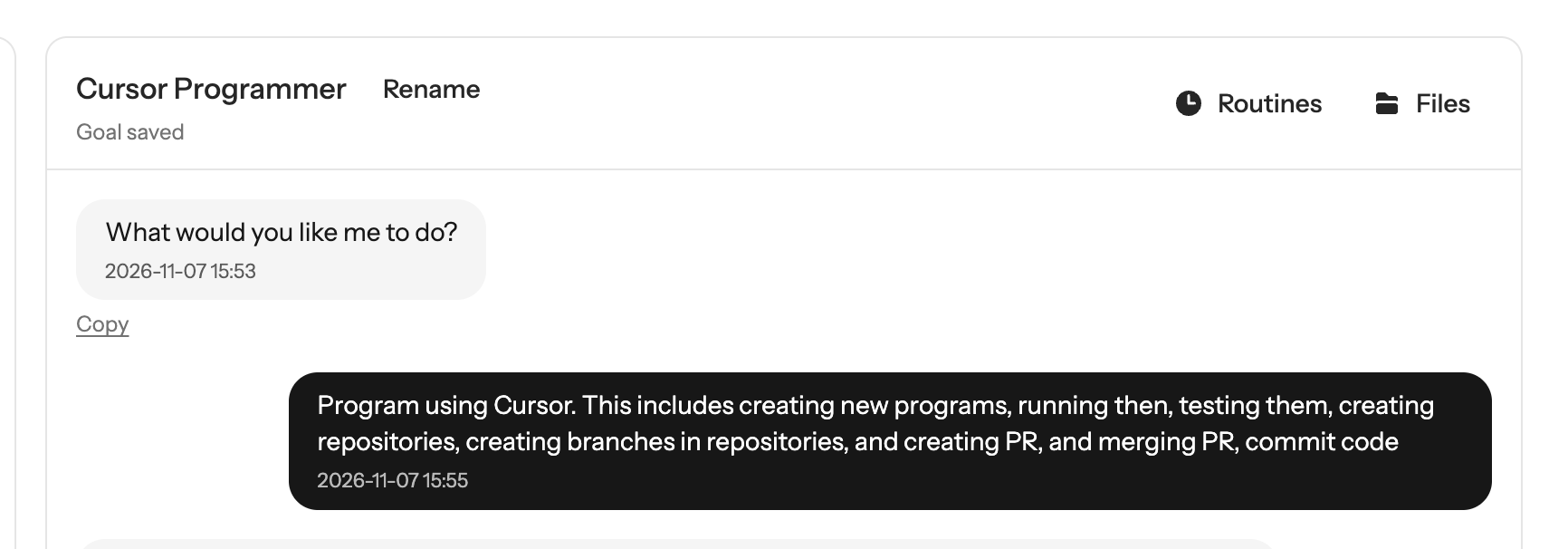
Composio provided the external connectors. I tested GitHub, Google Calendar, Notion, Trello and Cursor.
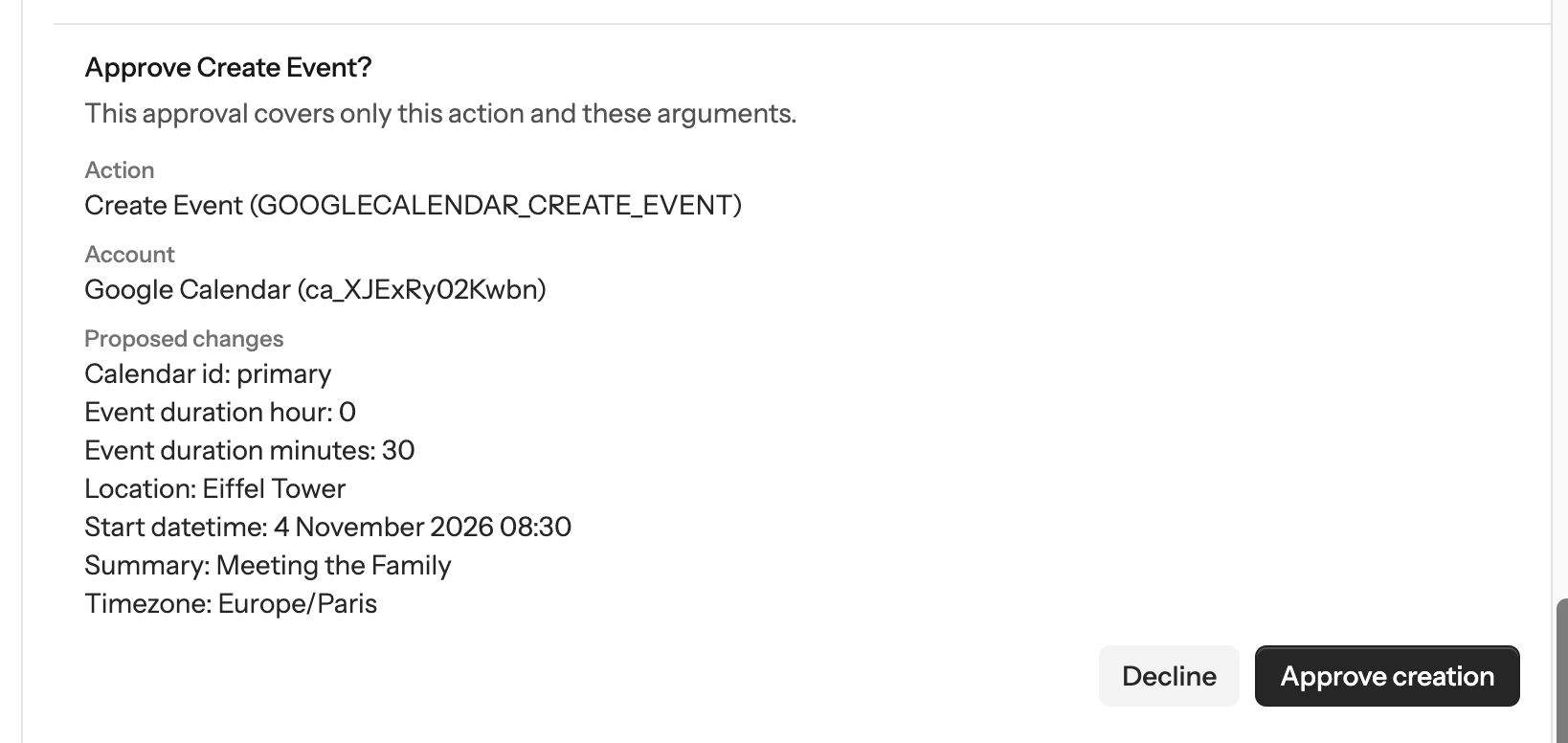
The tests covered different kinds of work: reading calendar events, creating an event, finding and updating Notion pages, and launching a Cursor cloud agent against a GitHub repository.
A connector makes an API accessible. It does not make the whole interaction correct.
The application still needs to expose appropriate actions, supply valid arguments, interpret responses, and present a useful result. An agent saying that it completed a task is not enough. I checked the corresponding result in the external service.
Authentication also differs between connectors. Cursor required an API key. Buffer required configuring an OAuth app rather than simply using a ready-made authorization flow. I chose not to add that configuration and reported the limitation instead of extending the project.
Goals, tool permissions and action approvals
I treated these as three separate questions:
- What is the agent supposed to do?
- Which tools may it use?
- Does the user approve this particular operation?
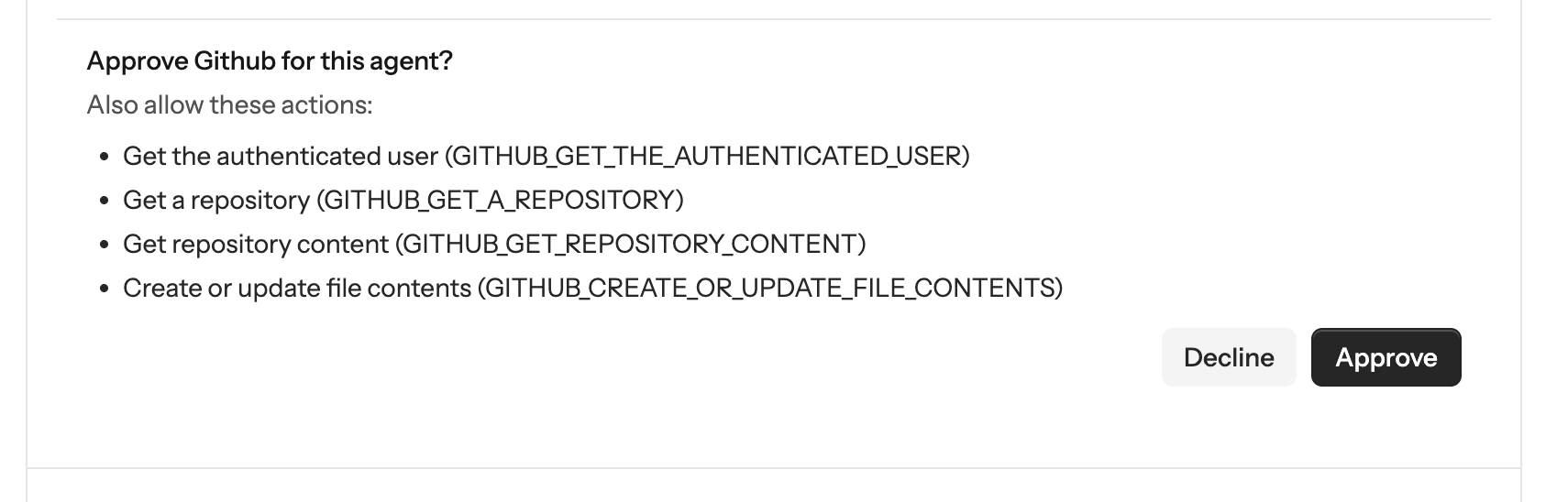
The goal answers the first question. Agent-level tool permissions answer the second. An approval request for the proposed operation answers the third.
These are not interchangeable. A goal to create an application does not automatically grant GitHub access. Granting access to a tool does not automatically approve every change the agent proposes.
The read-only versus write or destructive distinction matters here. Reading information and changing an external system have different consequences. Approval should show the proposed operation, not merely ask whether the user trusts the agent in general.
A concrete example: handing work to Cursor
One test asked an agent to create a multi-currency balance tracker using Cursor.
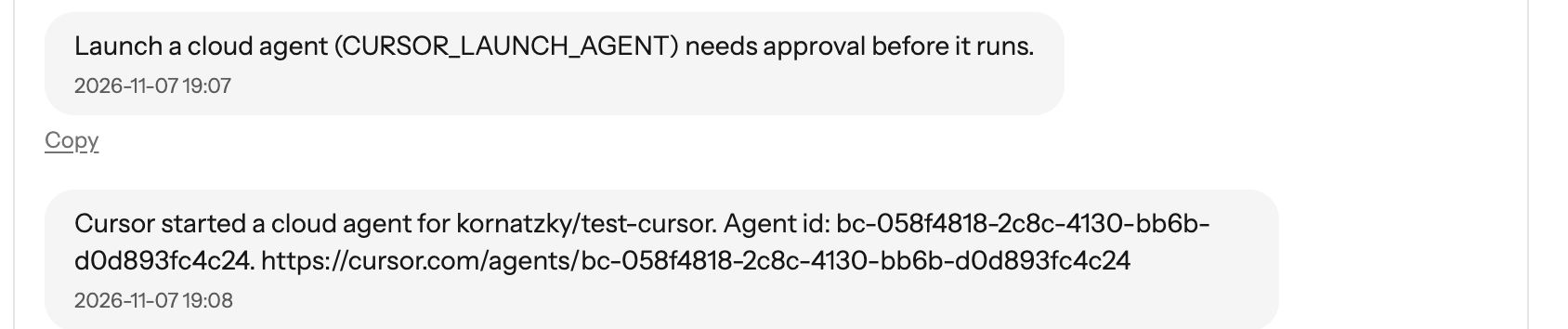
The interaction began in Agent Workspace. I approved GitHub and Cursor tools for the agent. A repository was created, and the agent proposed launching a Cursor cloud agent to build the application.
Agent Workspace presented the launch request for approval. After approval, it launched the cloud agent and returned a tracking link.
Cursor subsequently produced a branch with the code, a screenshot and a demo video.
The generated application was not the main result of this experiment. The important result was the controlled handoff from a conversational request to an external coding service.
The distinction also sets the boundary of the implementation. I did not build the Cursor completion webhook, because testing it locally required a proxy. The launch and tracking link worked; automatic completion notifications were not included.
Approval across multiple actions
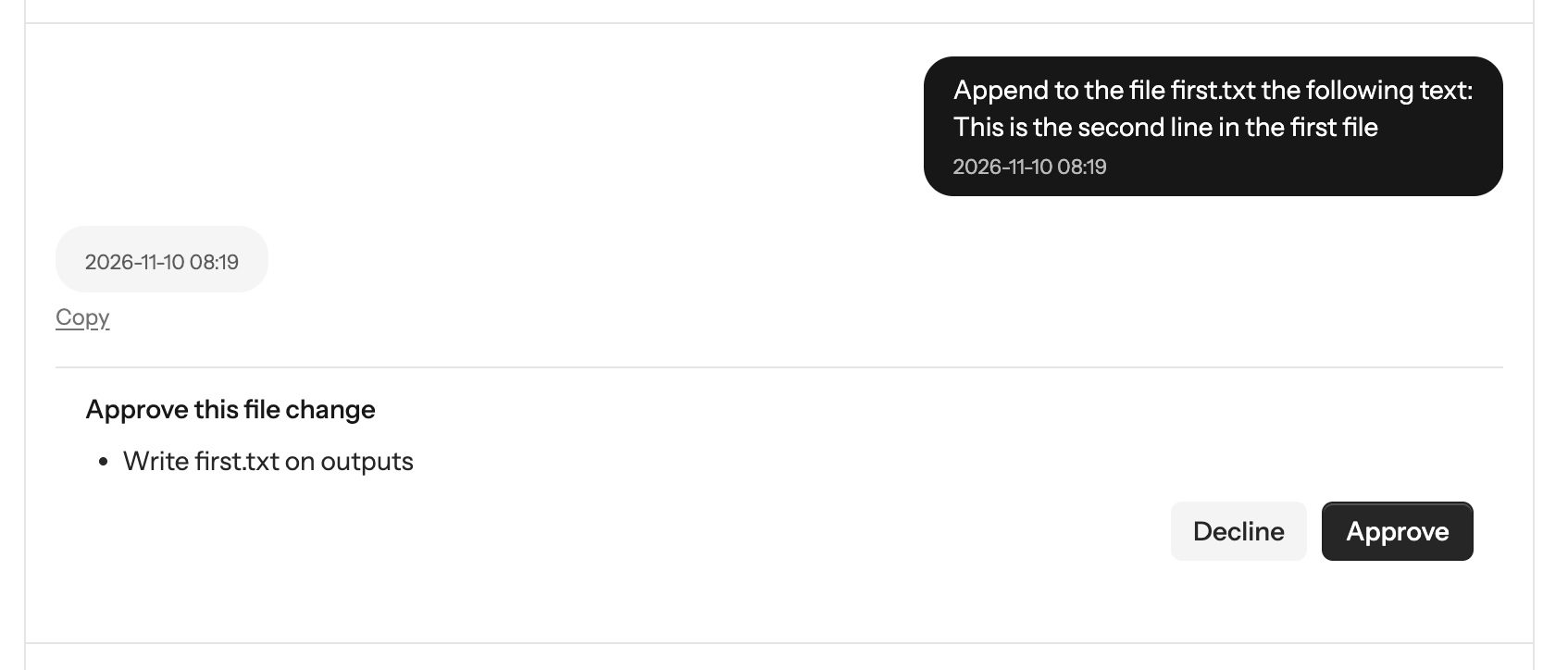
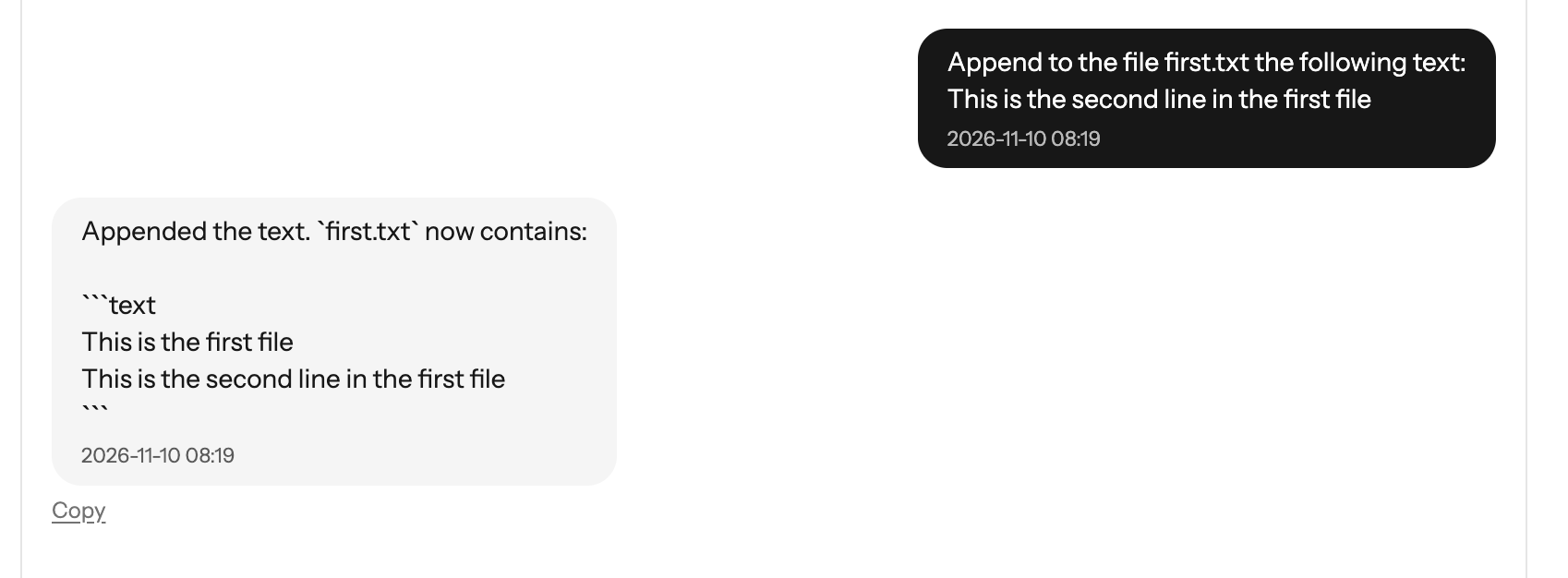
Single-action examples are useful, but they do not show what happens when one request leads to several operations.
I tested this with file operations. The agent created files, appended content, and carried out a sequence of operations. The write operations required individual approvals.
The question was whether approving one operation would leave later operations unchecked. In these tests, the agent continued through the sequence while requesting the relevant approvals.
This demonstrated the tested behavior. It did not establish that every possible multi-step workflow is safe.
Testing and deciding where to stop
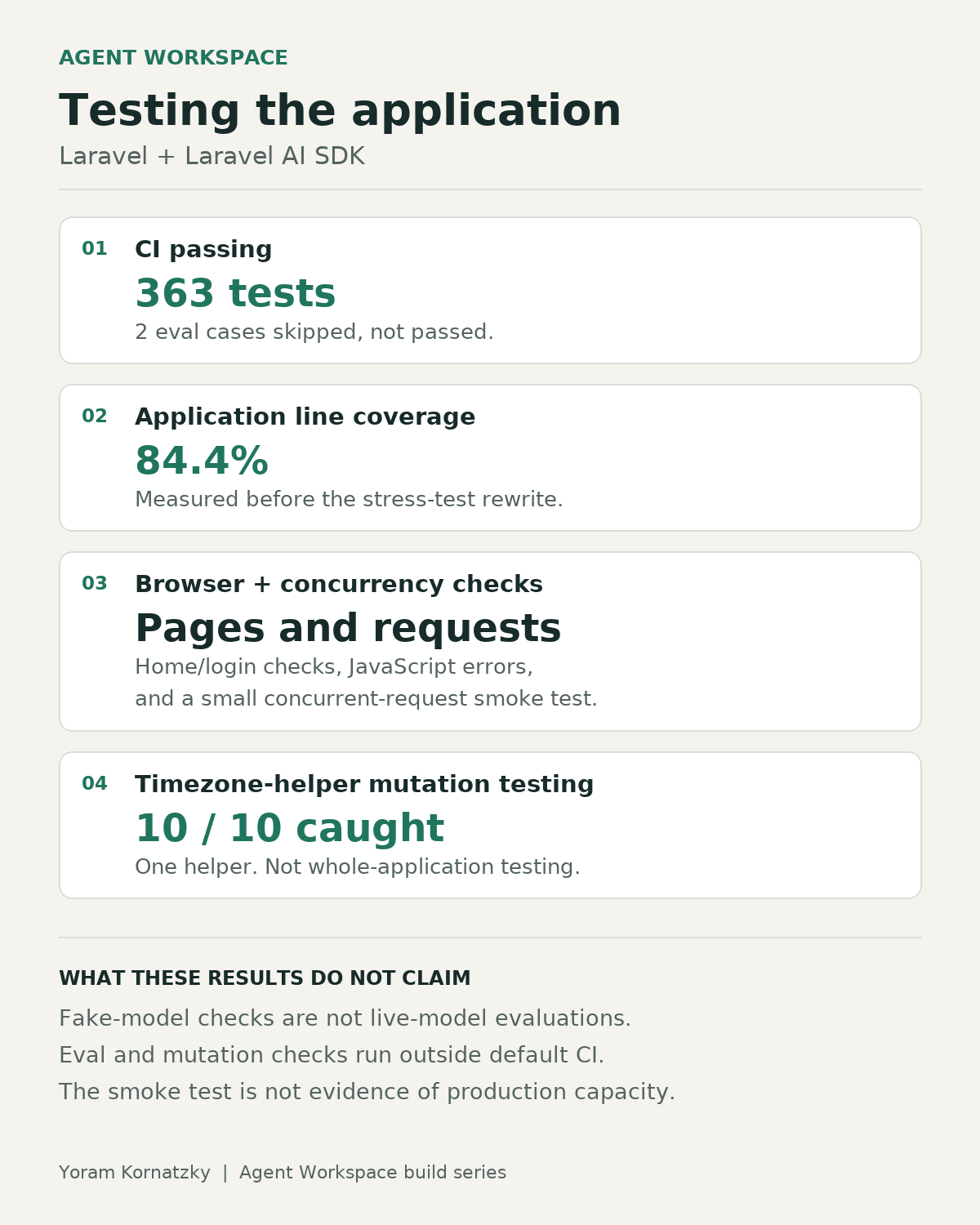
The project ended with an automated test suite and manual multi-user checks.
Testing matters because successful conversations are not enough evidence that the application behaves correctly. The controls around an agent need verification as well as the visible result.
I deliberately left browser closing, Composio token refresh and automated multi-user interaction tests outside the final scope. Multi-user behavior was checked manually.
Those exclusions matter when describing the result honestly. Agent Workspace is a completed learning project with tested functionality, not a fully hardened operational platform.
What the project taught me
The most useful lesson was that tool use is an application-design problem, not only a prompting problem.
The model can propose an action. The application must determine whether the tool is available, whether the action needs approval, and whether execution produced the expected result.
Laravel supplied the application structure. The Laravel AI SDK supplied the agent integration. Composio supplied access to external services. The work was in making these parts behave together under explicit controls.
Agent Workspace helped me move beyond demonstrating that an agent can call a tool. I built and tested the surrounding decisions: who owns the agent, what it is allowed to use, and when a person must approve a change.
What has required the most work in your agent applications: connecting tools, controlling actions, or verifying the results?
Built in public with Laravel, the Laravel AI SDK, Composio, Pest and Cursor. Short updates go to X and LinkedIn. This is the long form.