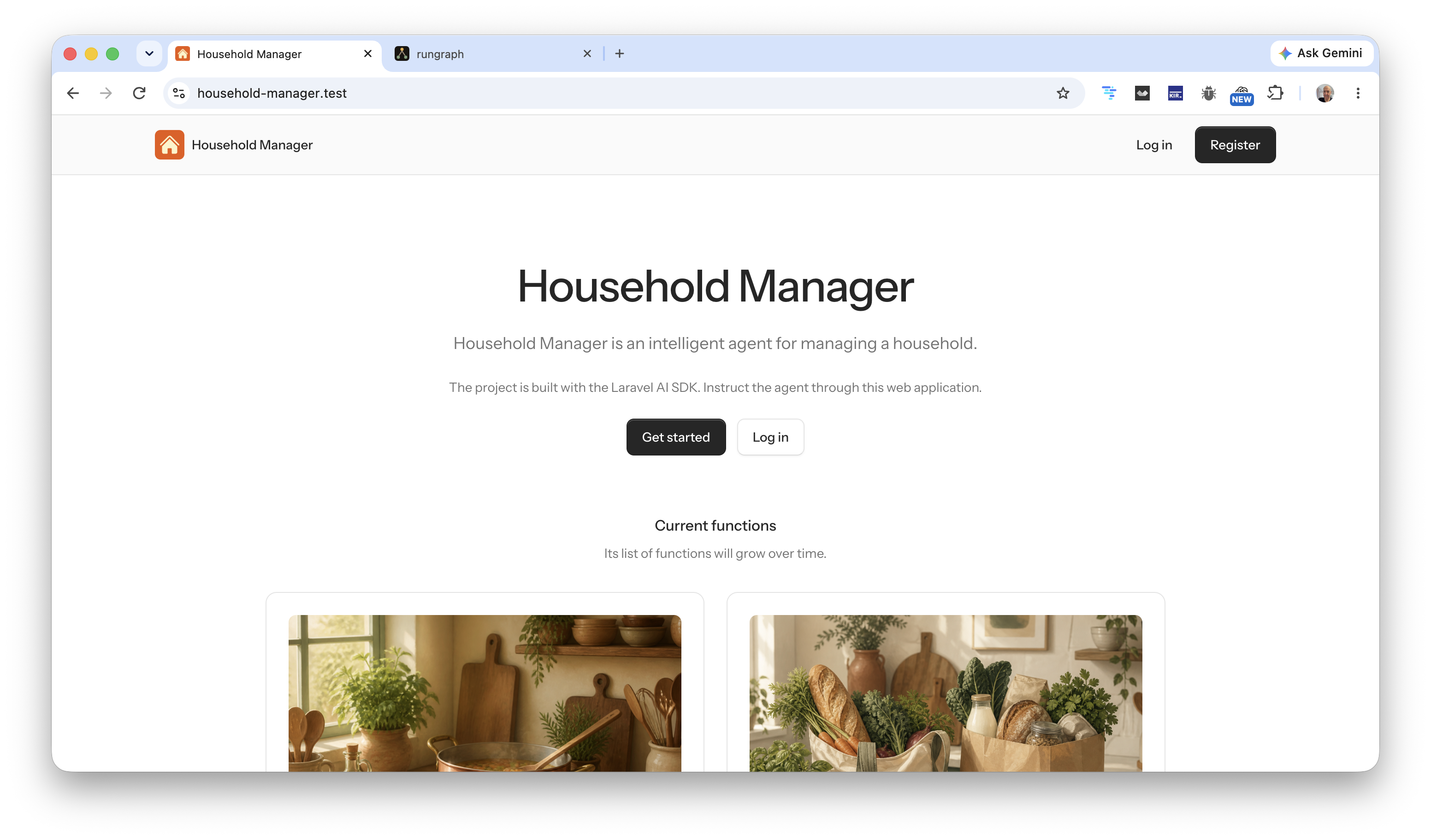
Household Manager: agents that run the house on the clock
Household Manager is a Laravel application I am building in public. The point is not a chat window that invents a grocery list. The point is a set of agents that already know the house, already know the pantry, and already fire at 08:00 in the user’s timezone.
The four original domains are cooking, shopping, maintenance, and cleaning. Those four are now in the app. Along the way I had to make the clock honest: a missed minute is a late run, not a skipped day.
This article is the long form of the build series I have been posting on LinkedIn and X. Same facts. Room to show how the slices lock together.
Why this project
I wanted a real application for the official Laravel AI SDK, not a demo agent in Tinker. Cursor does the agentic development. The stack stays Laravel and PHP: queues, notifications, Pest, structured output, conversation memory.
Users instruct the system through a web app. Settings are plain forms. The agents do not wait for a prompt at meal time. A scheduler ticks every minute and calls them when the local clock says so.
That constraint is the whole design. If the agent only works when you open a chat, it is a recipe generator. If it works when you are not looking, it is a household manager.
The first slice: cooking
Cooking was the first function that actually did something at 08:00.
Each user has a Cooking Agent. You set breakfast, lunch, and dinner times, how many people, city and country, and dietary notes as plain text. Location is geocoded so cuisine and ingredients fit the place. One of the early test households is two people, Ukrainian lunch, not too much sugar, one person diabetic.
A scheduler runs every minute. At each meal time in the user’s timezone, a job calls the agent. The agent returns structured dishes: ingredients, cooking instructions, serving instructions, and a generated photo of the plated meal. It remembers the conversation, so the menu varies instead of repeating the same dish three days in a row.
There is a Cooking settings screen and a Meals calendar. Open a day and you get breakfast, lunch, and dinner.
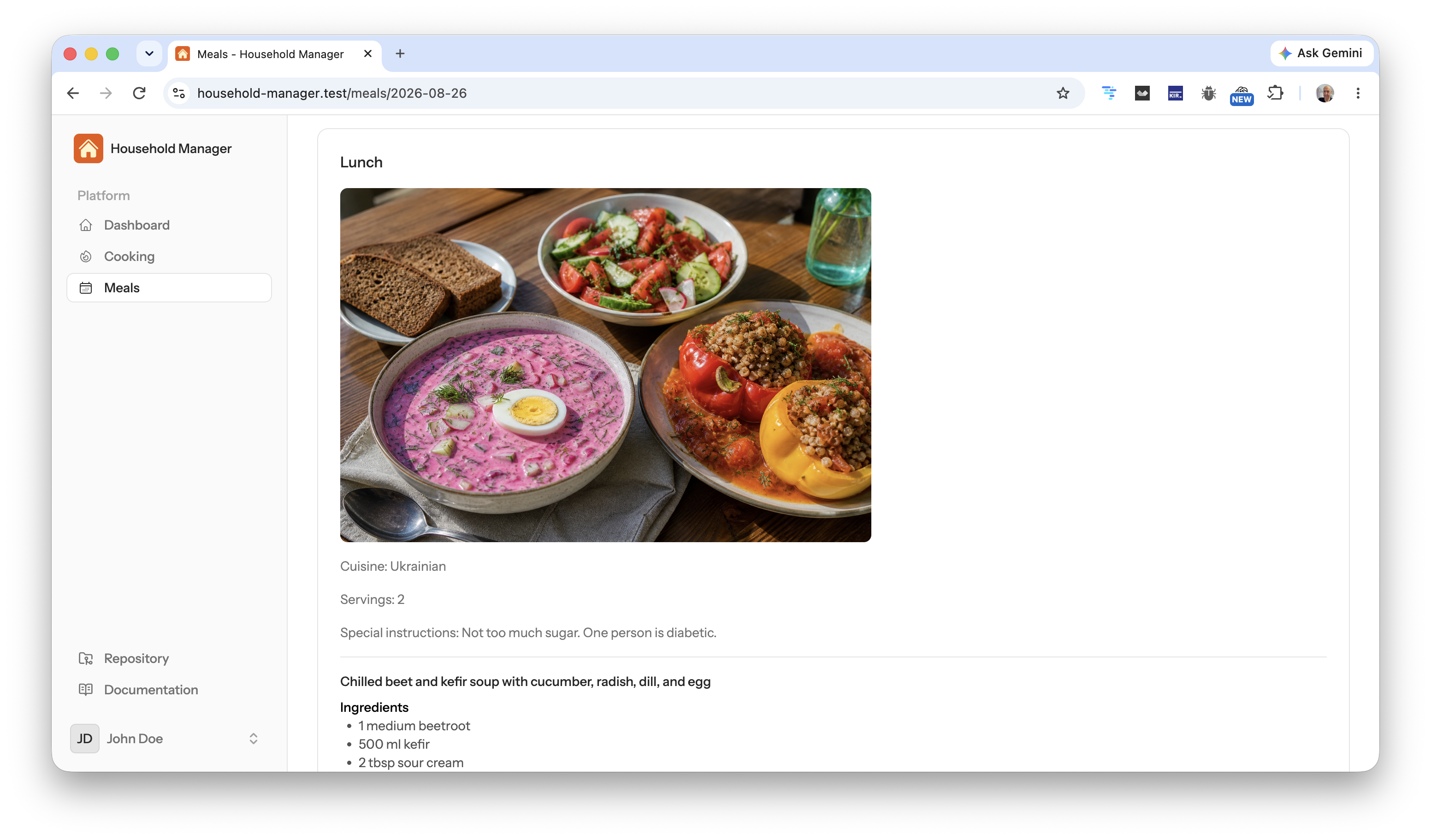
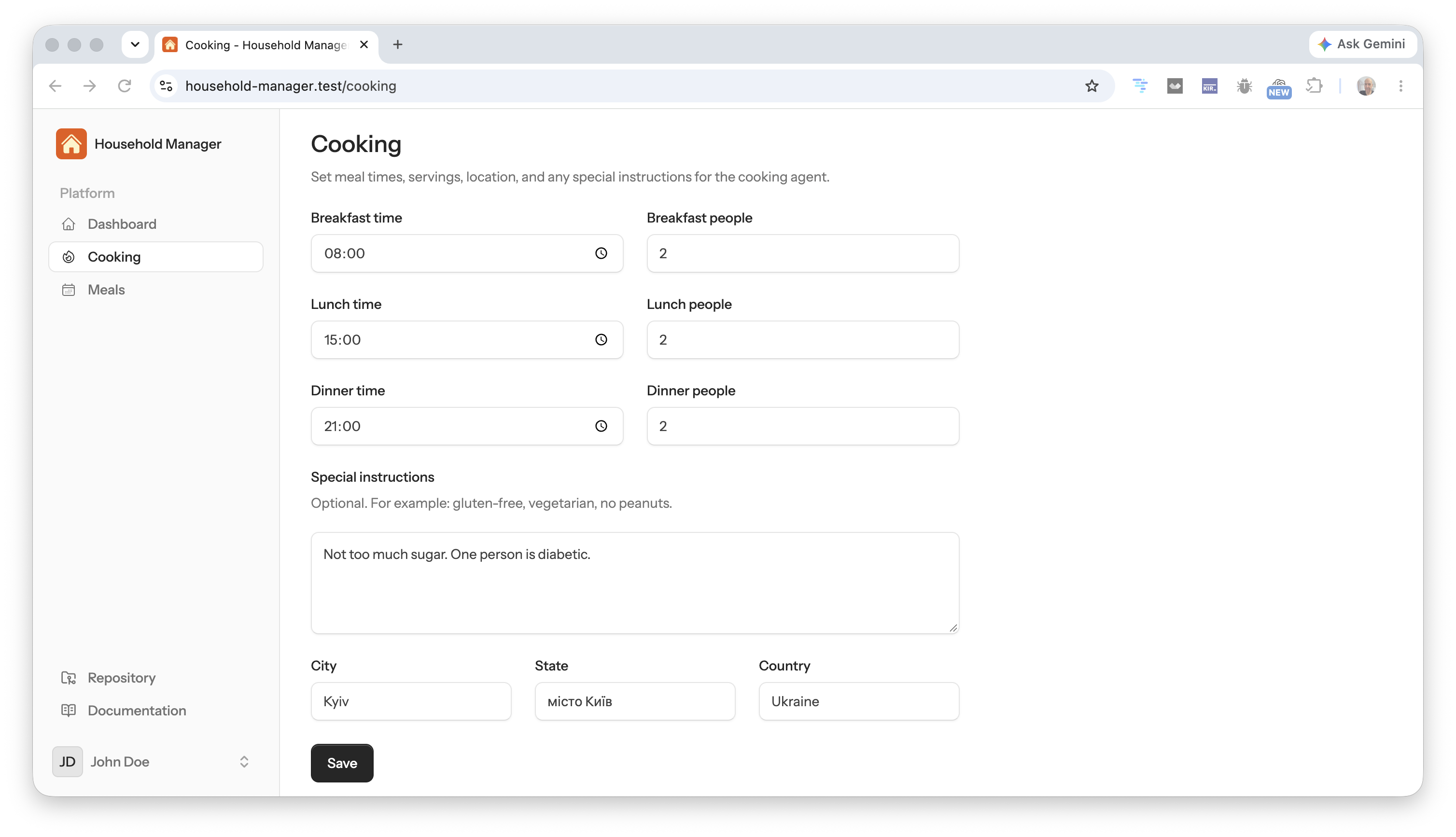
Serving a meal is a real event. Stock goes down. Meal times do not invent extra dishes.
The clock before the stove
Planning the menu is only half of cooking. You still need to know when to start.
The Cooking Agent estimates preparation time as structured output. Each meal stores prep in minutes. Dishes run in parallel when that is practical. The same every-minute scheduler that handles serving fires at served_at - prep. Laravel Notifications sends one mail: start now, this is dinner, here are the dishes. Each meal is notified once.
A dinner served at 21:00 with about 30 minutes of prep mails at 20:30. A 00:15 meal with 30 minutes of prep notifies at 23:45 the day before. That wrap has to work or the clock is a toy.
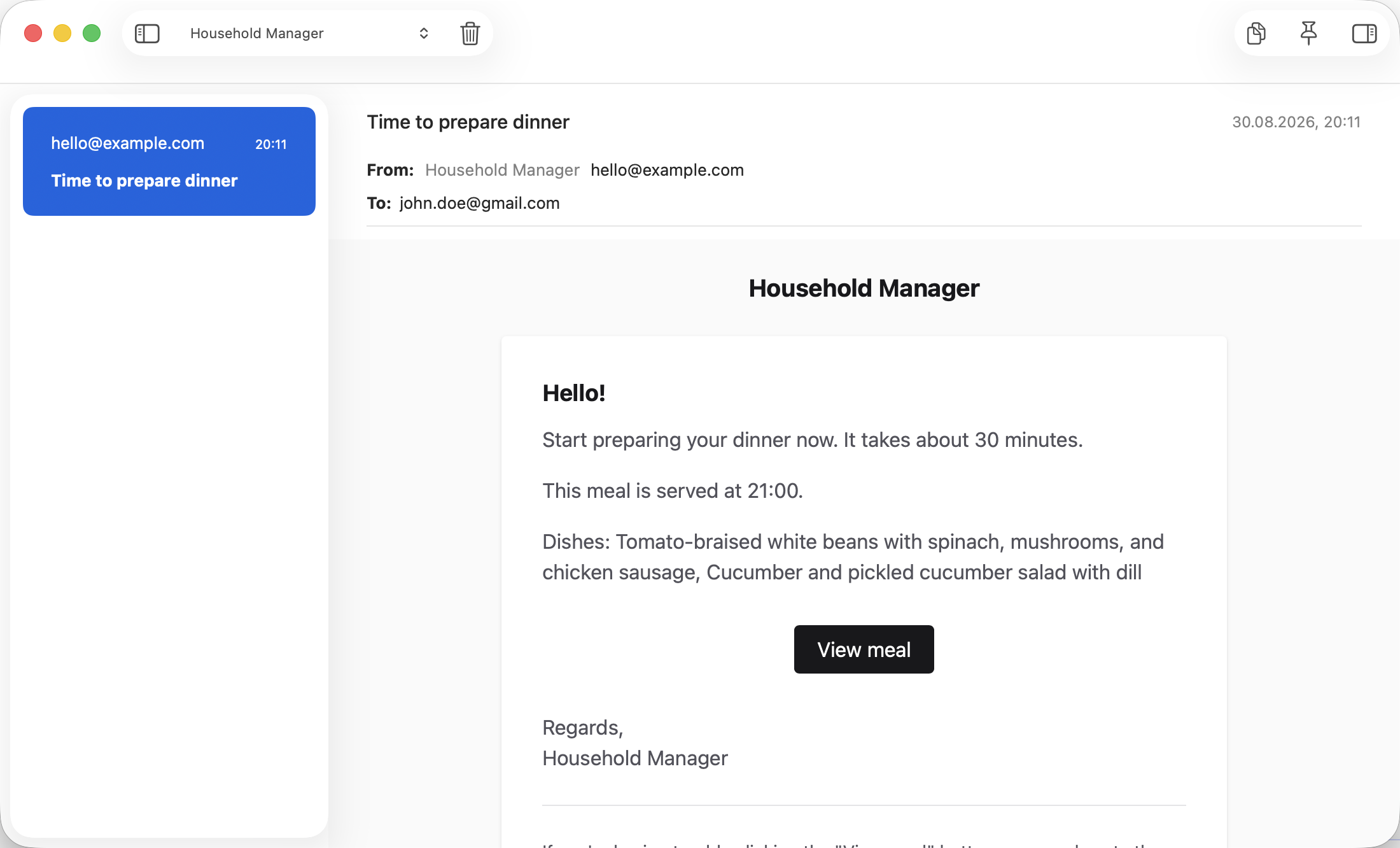
Prep-time mail. The agent owns the clock, not only the recipe.
Shopping from the pantry, not from a chat
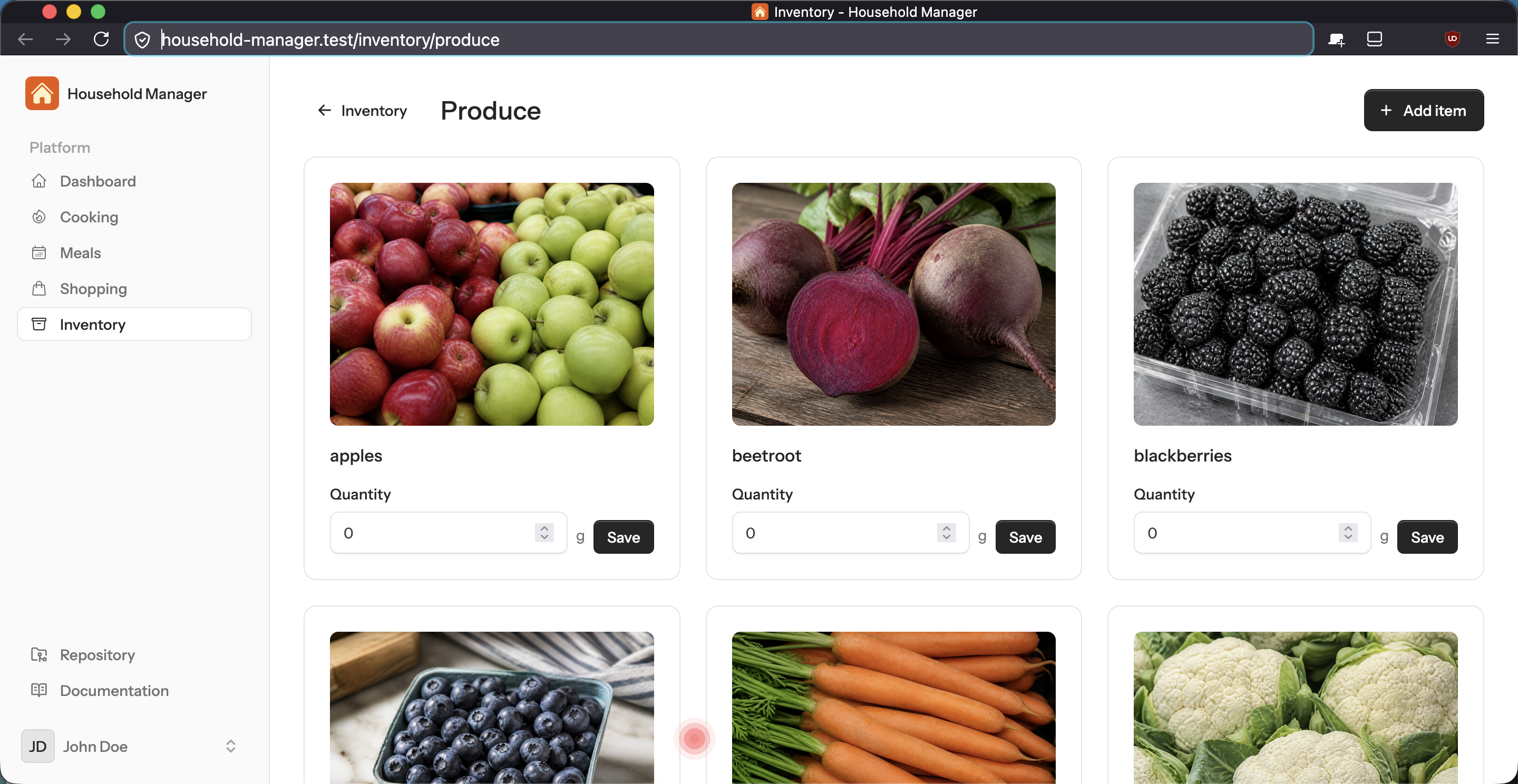
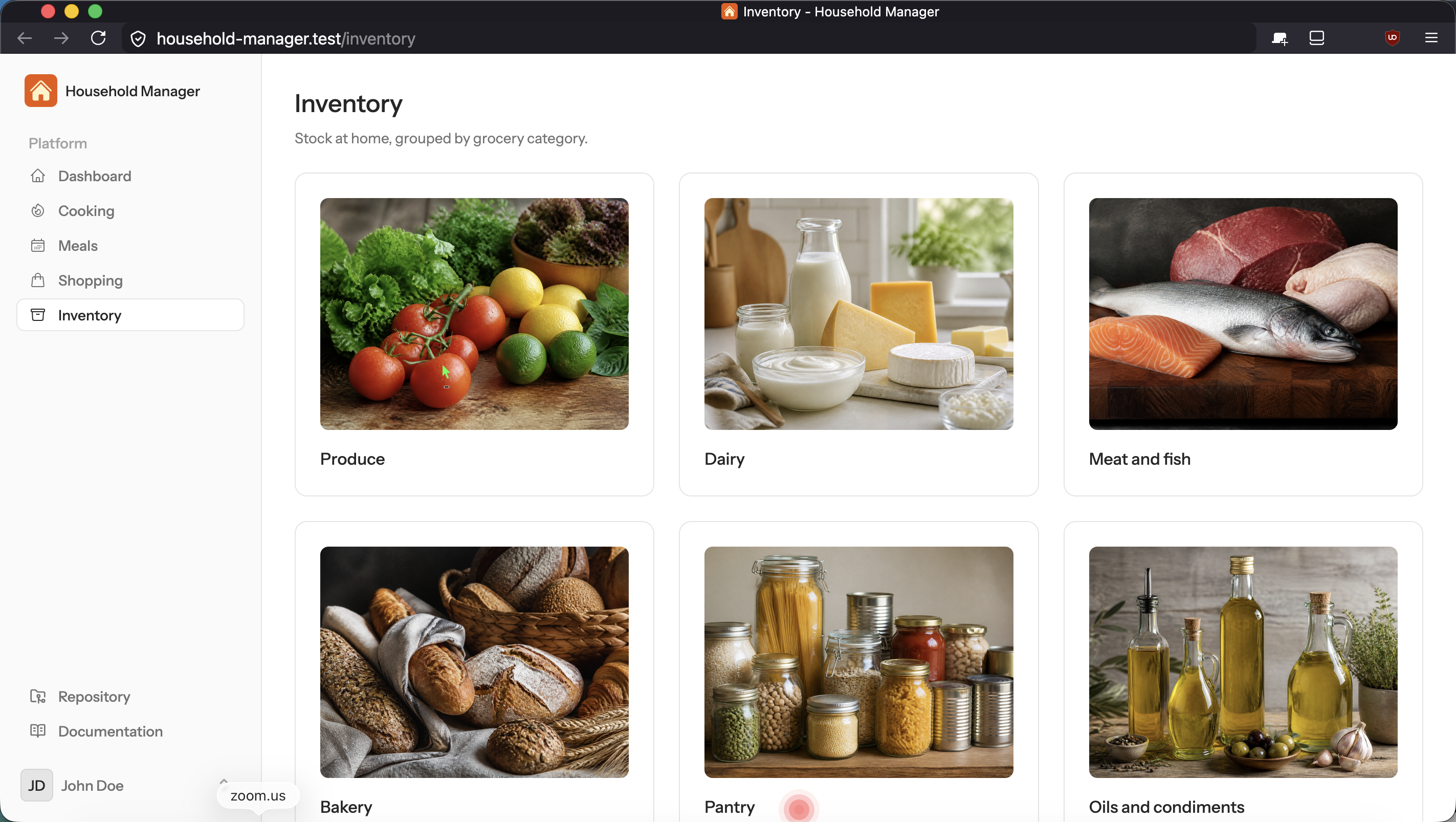
The second piece is a Shopping Agent on the same SDK. It reads the week’s ingredients, subtracts what is already in inventory, and that is the list. Inventory is grouped the way a store is grouped: Produce, Dairy, Meat and fish, and so on. Units follow Metric or US from Cooking settings. Each item gets a generated product photo.
Mark it purchased and stock goes up.
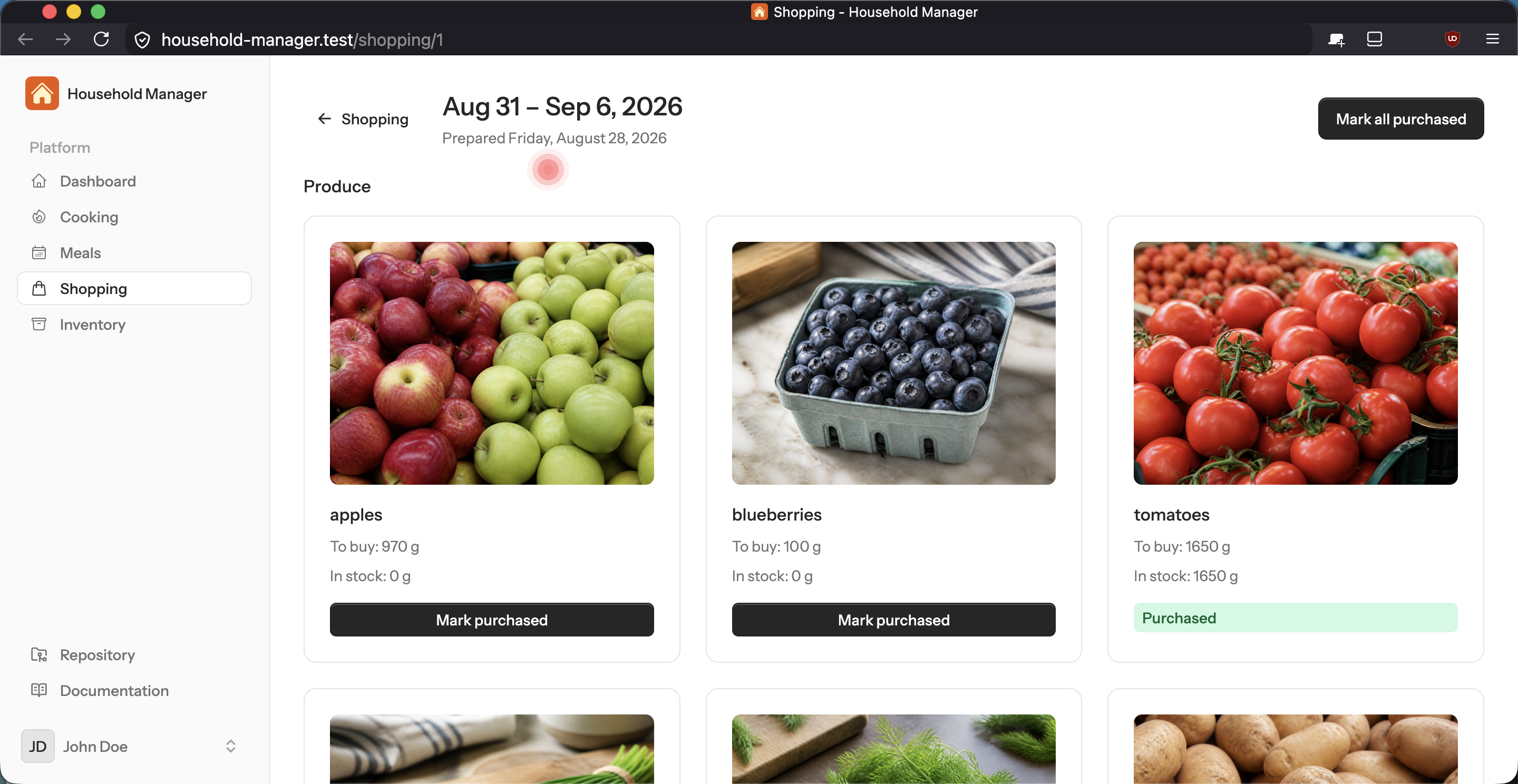
The agent only puts on the list what you do not already have.
A checkbox is the wrong payload. Need 3 kg of tomatoes and the store only has 2.5? Mark 2.5. Remaining 0.5 kg stays on the list for the next stop, not a new list. Need 3 eggs and you grab 5? Stock becomes 5, and the line is done.
Each card already holds what is left to buy. One click, no typing, means you bought that amount. A different number is a short aisle or an extra pack. Inventory only rises by the amount you enter.
The trip writes a quantity. That is what I want the agent to see: bought 2.5 kg, 0.5 kg still open, stock +2.5.
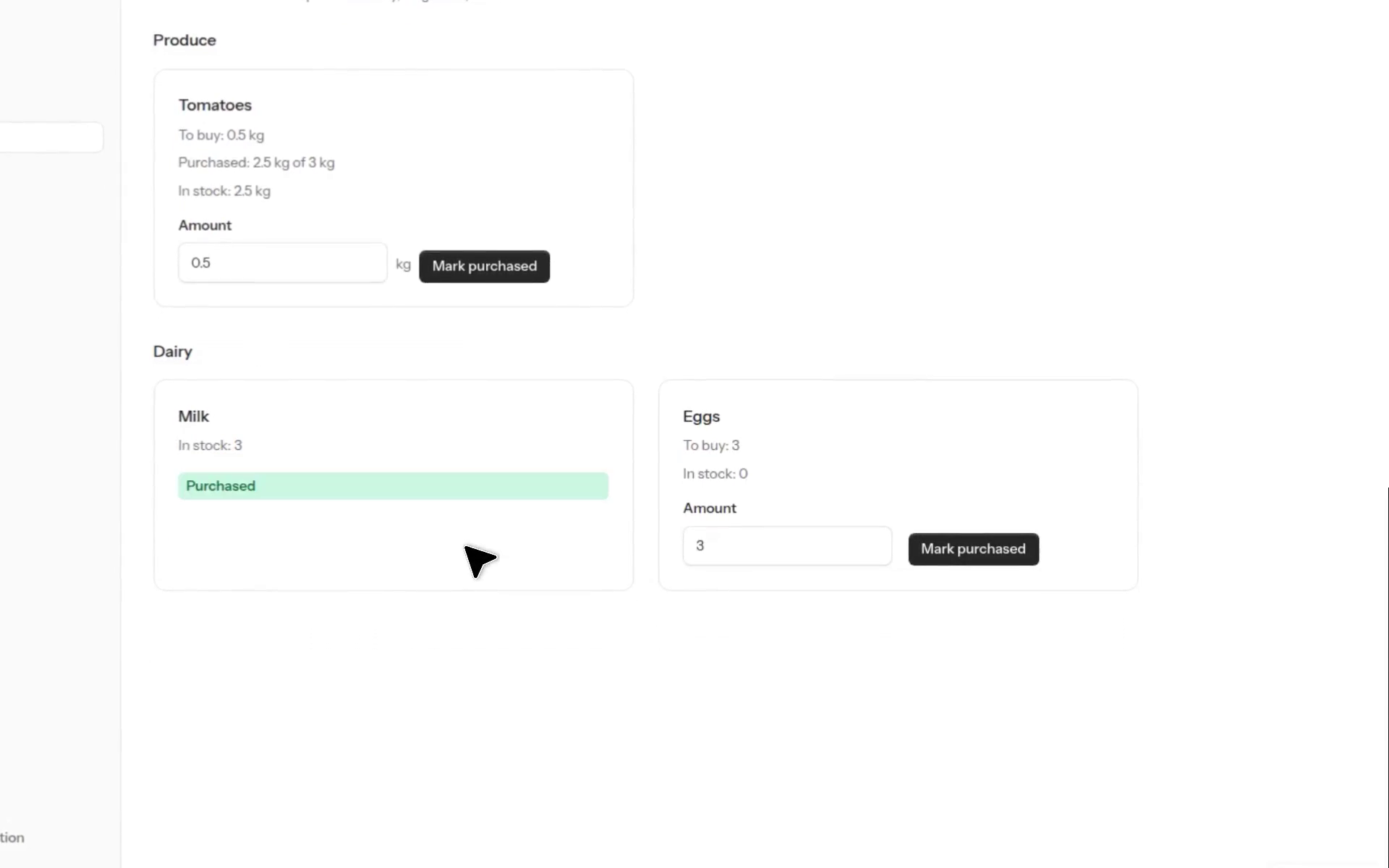
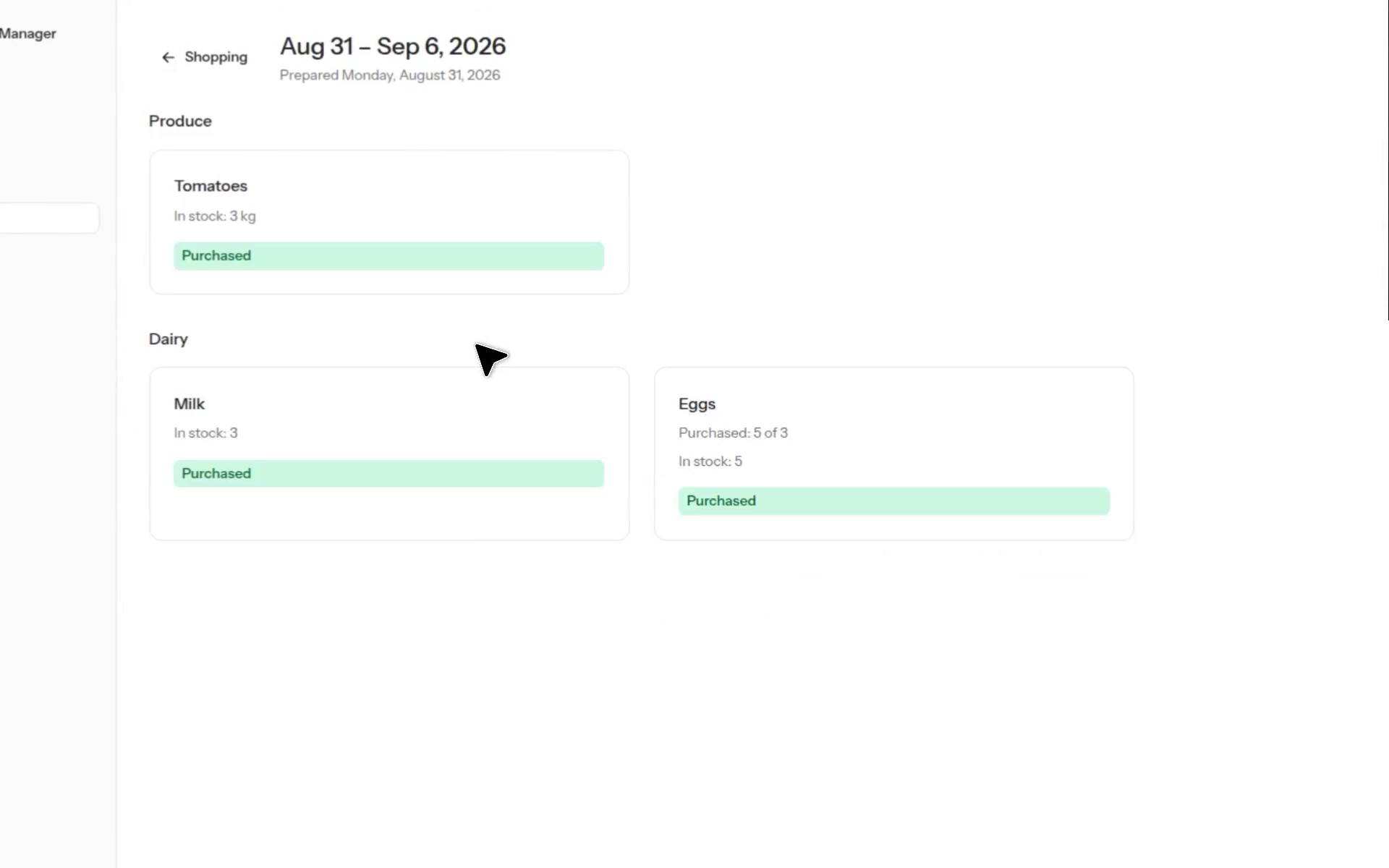
A grocery list is a running remainder, not a checkbox.
Lead time, counted back from Monday breakfast
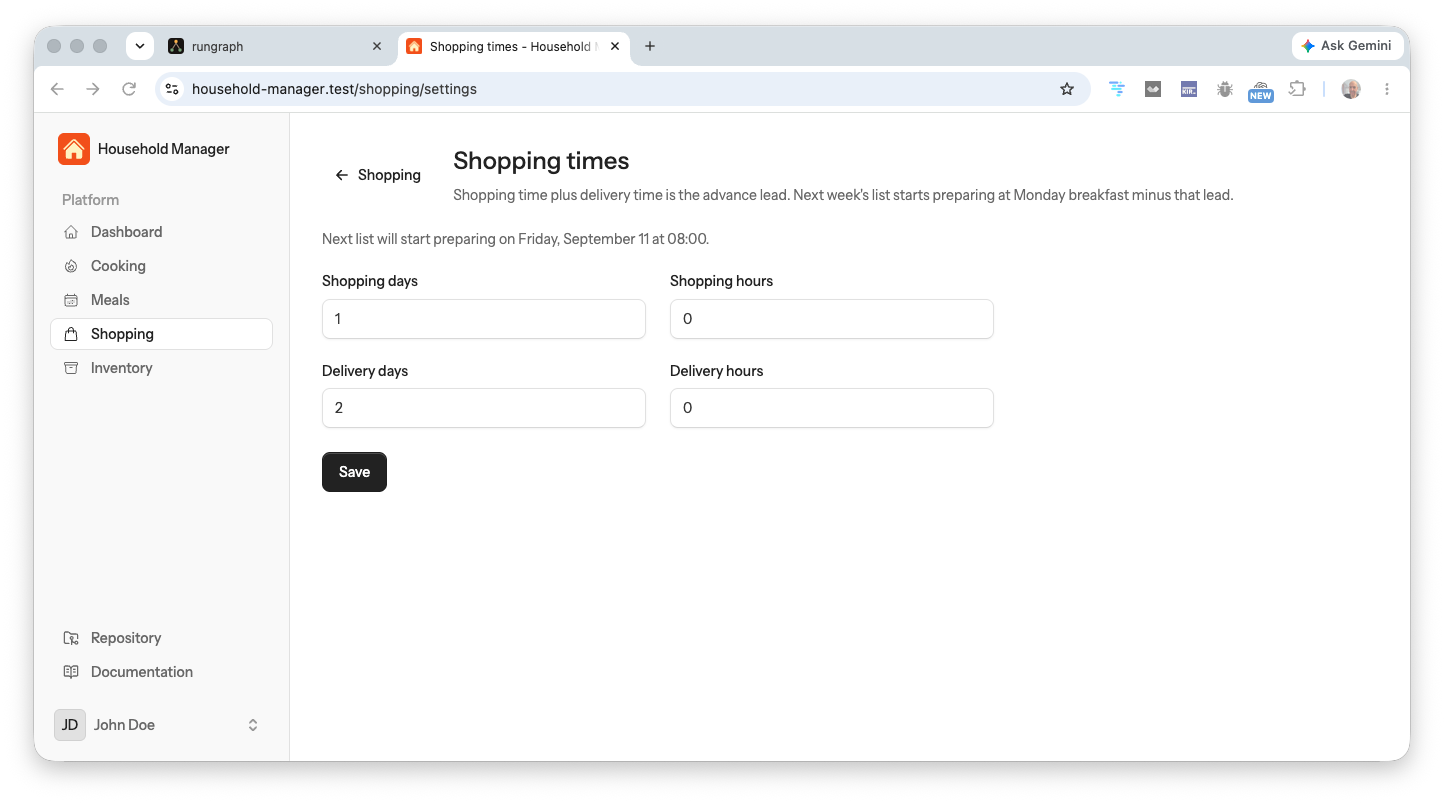
Shopping time plus delivery time is counted back from Monday breakfast. A scheduled job, shopping:prepare, still runs every minute. It fires when now is at or after Monday breakfast minus that lead. A three-day lead starts next week’s list on Friday at 08:00. A nine-day lead skips a Monday that is already too close and lands on the next one that still fits.
Default is one shopping day and no delivery. You set days and hours on a Shopping times screen. Under the heading, a live line shows when the next list will start preparing.
One of the screenshots is that screen with 1 shopping day and 2 delivery days. Breakfast is 08:00 from Cooking, so the next list starts Friday, 11 September at 08:00 — three days before Monday breakfast. Groceries have to be in the house before that meal.
Tests that can kill a mutant
Once cooking and shopping were live, the safety net had to be real. Pest 5 on the Laravel AI SDK build, so a dish, a shopping list, and a pantry change cannot drift without a test noticing.
What landed:
- Feature tests cover agents, meals, shopping, inventory, settings, and auth.
- Architecture tests keep the shape of the app honest.
- One Playwright browser test hits the real home page. Trap: if Vite HMR is running, Chromium waits forever on the hot file. Tests now load the built assets instead.
- Evals cover the three application agents. They run only with
--evals. Live-model cases still skip — the model rejects a temperature setting Pest wants to send. - Mutation testing rewrites the code on purpose and checks the suite still fails.
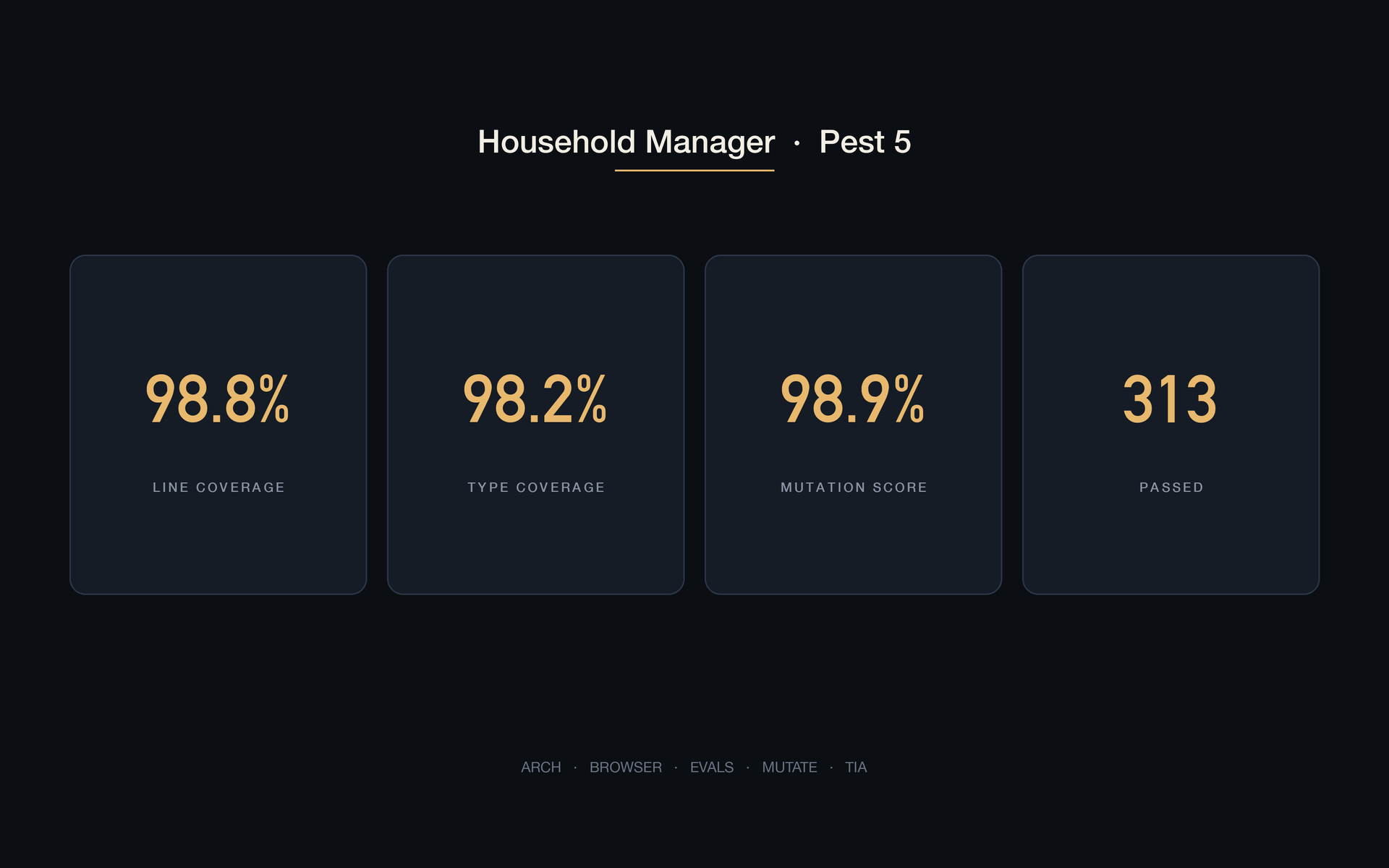
Numbers from a fresh local run at the time of that post:
- Line coverage of
app/— 98.8% - Type coverage — 98.2%
- Mutation score — 98.9%
- Suite — 313 passed, 18 skipped, 933 assertions, about 16 seconds
Local Test Impact Analysis records which tests a change actually needs. CI still runs the full suite, including Chromium for the browser test. Coverage, evals, and mutate stay local.
Coverage that never kills a mutant is decoration. Mutation score is the number I care about.
Maintenance is generated from the house
Maintenance is not cleaning. Cleaning is mopping. Maintenance is the dryer vent, the gutters, the things that break if you forget them for a year.
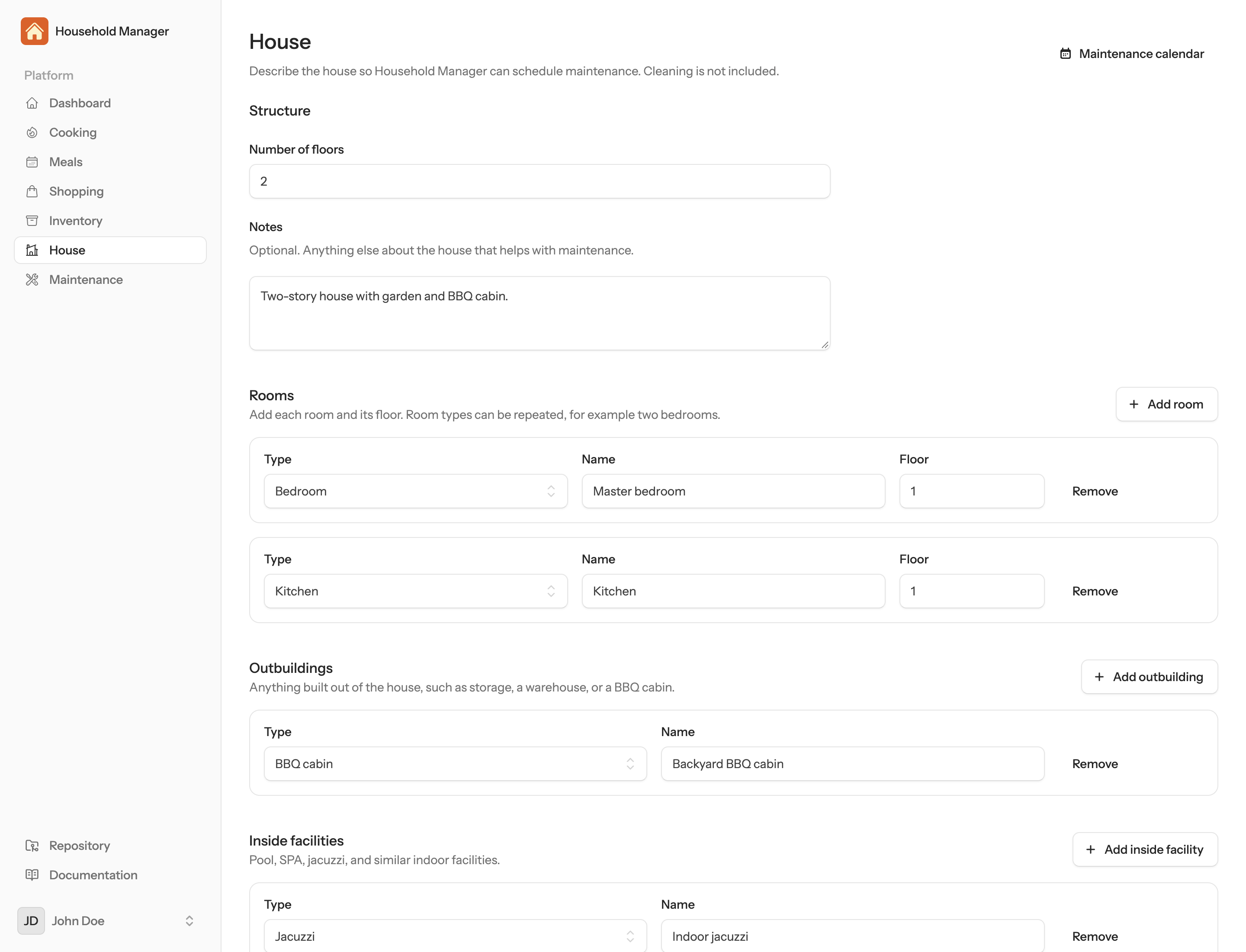
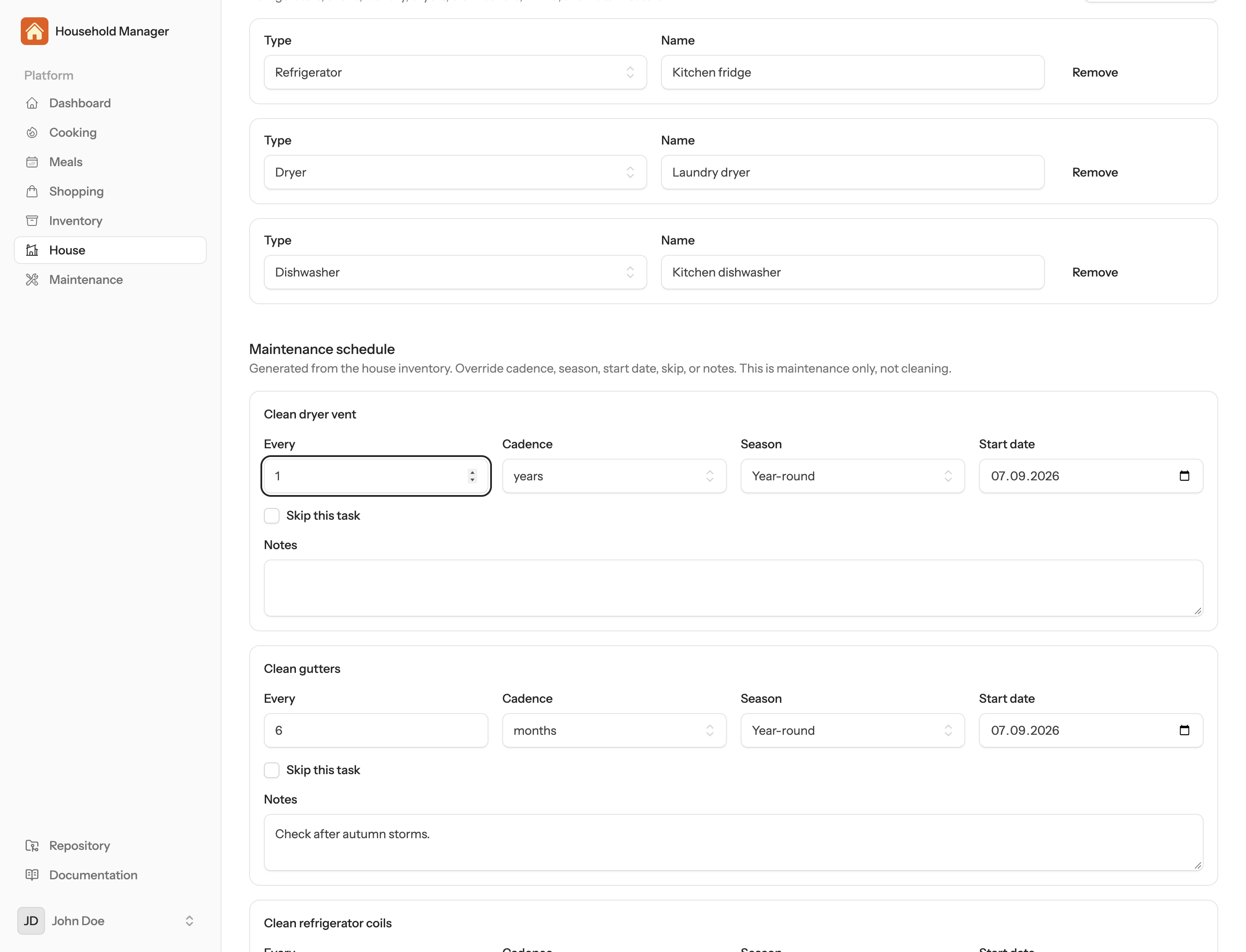
A House screen records the property: floors and rooms, outbuildings (storage, BBQ cabin), inside facilities (pool, SPA, jacuzzi), outside (garden, trees, flowers), and equipment (fridge, oven, laundry, dryer, dishwasher). Save the inventory and a schedule appears. You can override cadence, season, start date, skip, or notes.
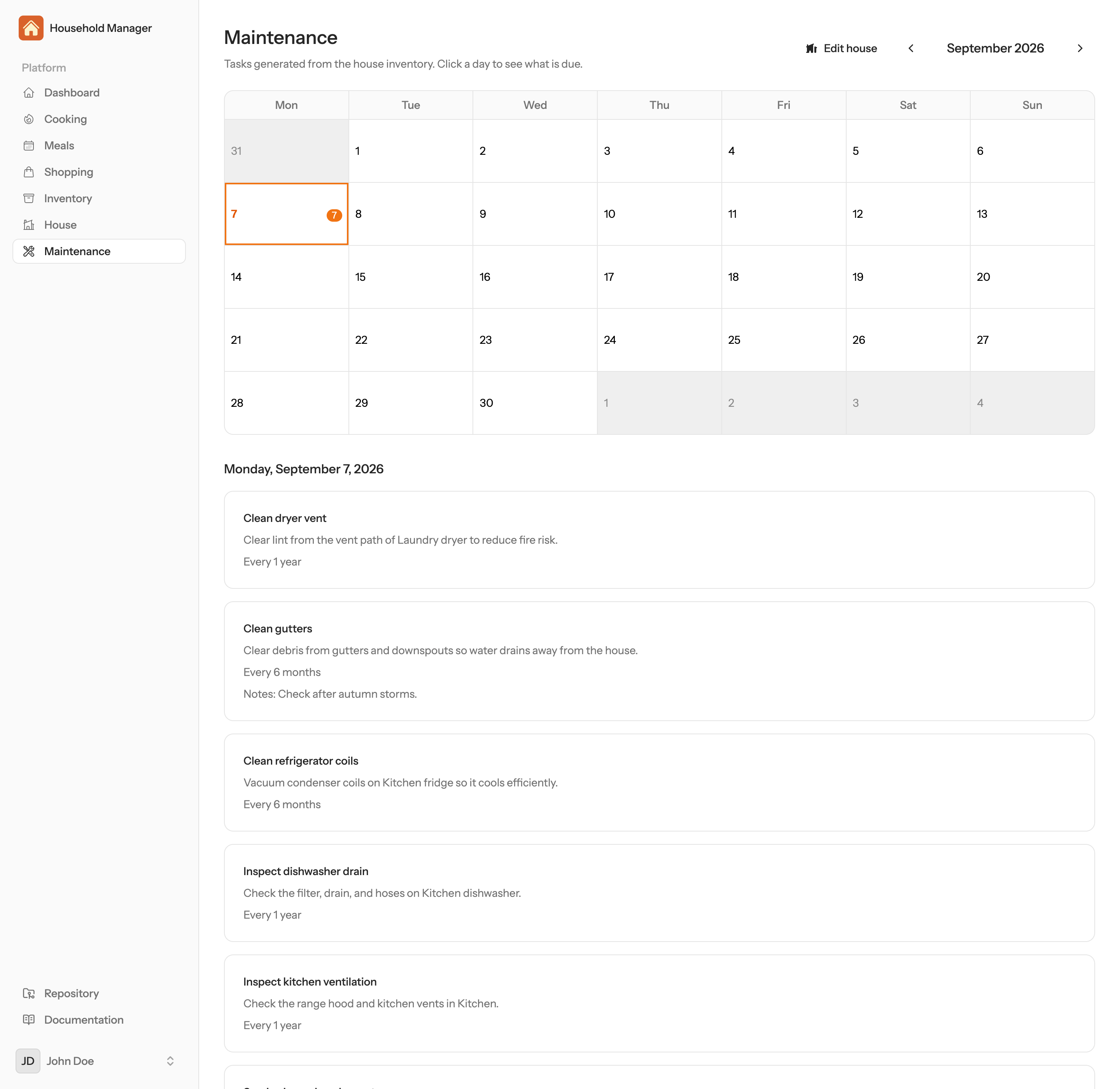
The Maintenance calendar is a month grid. Click a day for that day’s tasks. The same every-minute scheduler runs. At 08:00 in the user’s timezone, Laravel Notifications emails the day’s work. No tasks, no email.
A missed minute is late, not skipped
Cooking, shopping, and maintenance all sat on that every-minute scheduler. A deploy or a crash in the due minute used to drop the task: serve the meal, mail “start cooking,” plan next week’s list, send the maintenance digest. The run was gone. Nothing tried again.
The same jobs still tick every minute. They no longer need the clock to match the due minute. If the time has passed and the work is not marked done, they run it late. A delay is fine. Skipping is not.
Same-day catch-up is bounded. Breakfast due at 08:00, scheduler back at 08:05: the meal is served. A prep mail due at 07:35 still goes. Last night’s dinner can still be served shortly after midnight. Yesterday’s breakfast is left alone.
Shopping was the extra hole. The target week used to be computed from now plus lead time, so a miss that lasted into Monday slid to the following week. Catch-up now keeps the week that was due, as long as that Monday is not more than a day in the past, and passes those dates into the job so it does not plan the wrong week.
A killed run used to hold a 24-hour overlap lock. That lock now expires in ten minutes. The queued jobs that plan meals and the shopping list retry after a worker crash, instead of failing on the first attempt.
There is no extra “did it run?” table. The meal’s serve stamp, the prep-mail stamp, the shopping-list row, and the maintenance log already record whether the work ran.
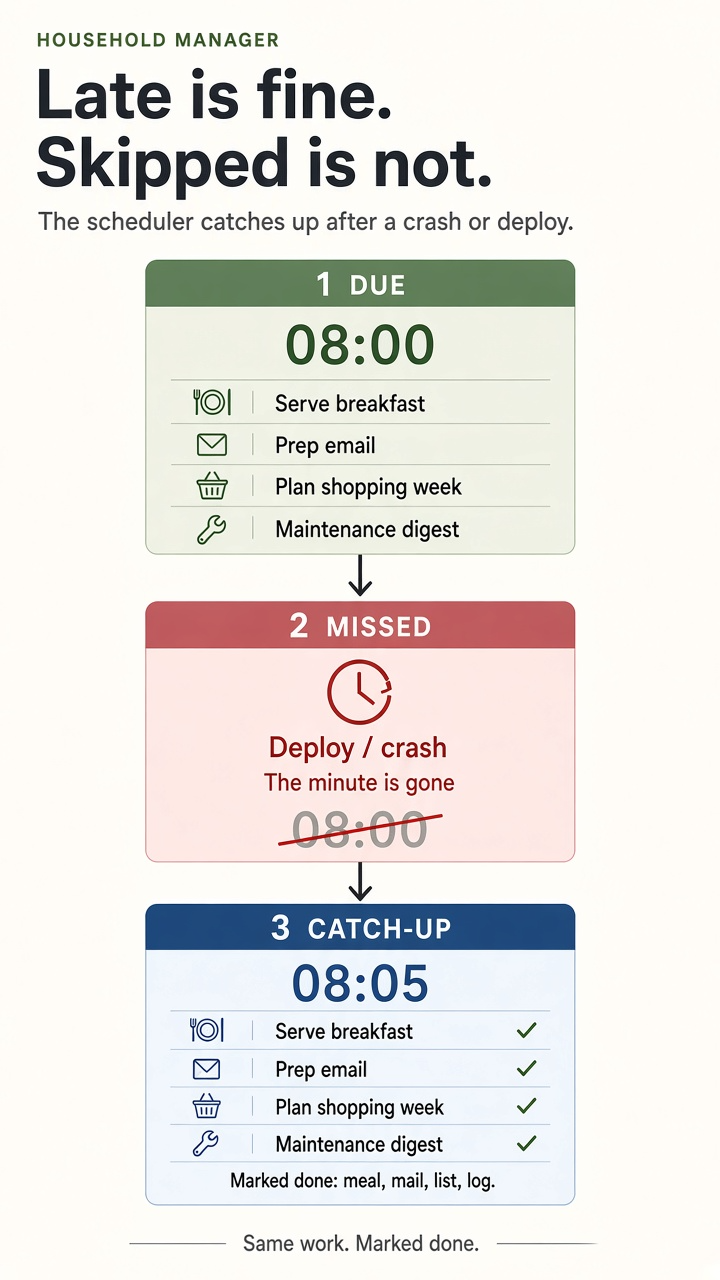
Treat a missed cron as “run it when you wake up,” not “skip this one.”
Cleaning, from the same house
Cleaning is the fourth original domain. It is generated from the same house inventory. It is kept off the maintenance list.
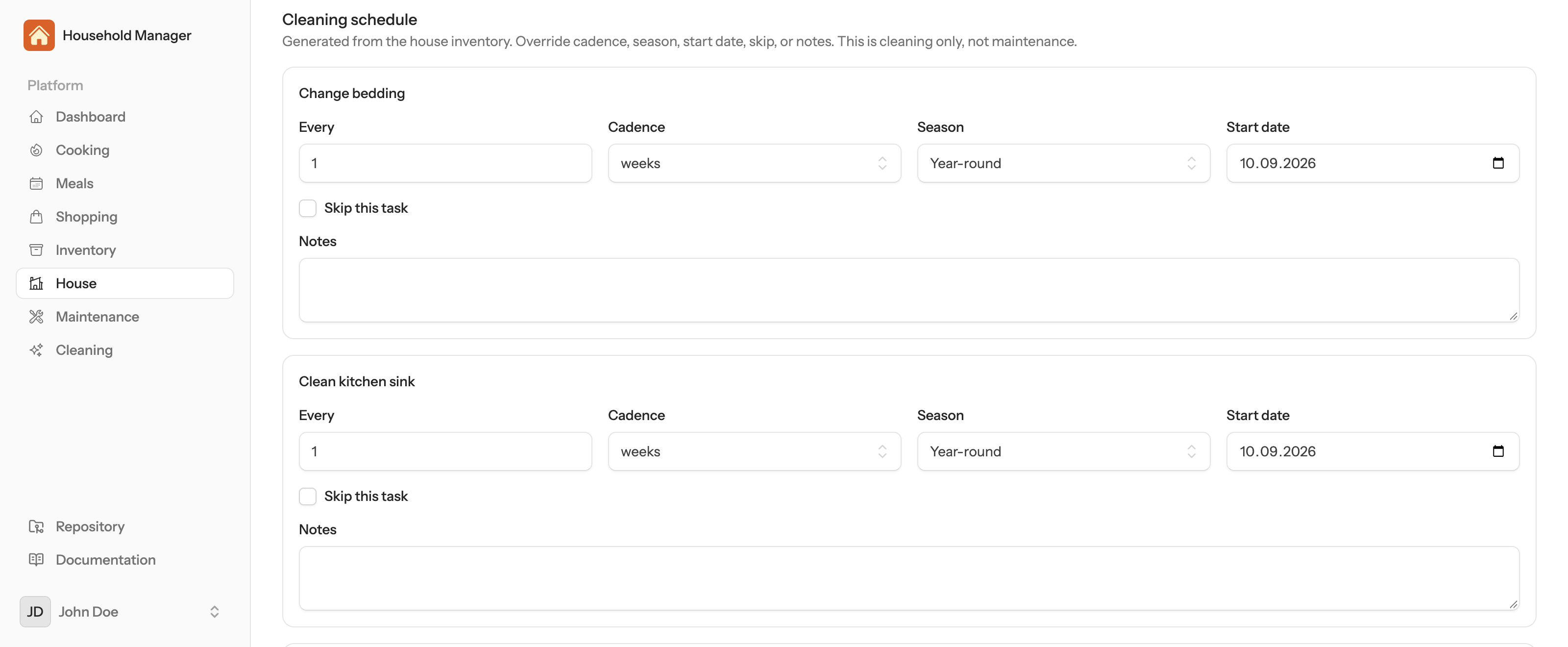
Save the House screen and a cleaning schedule appears under the maintenance one. Kitchen counters daily. Vacuum and dust weekly. Bathroom weekly. Bedding weekly. Windows every three months. BBQ cabin weekly in summer. Pool skim weekly in summer. Dryer lint trap weekly — the yearly vent stays on maintenance.
You can override cadence, season, start date, skip, or notes. Skip a task and that day stays empty.
The Cleaning calendar is a month grid. Click a day for that day’s chores. At 08:00 local time, Laravel Notifications emails the work. No tasks, no email.
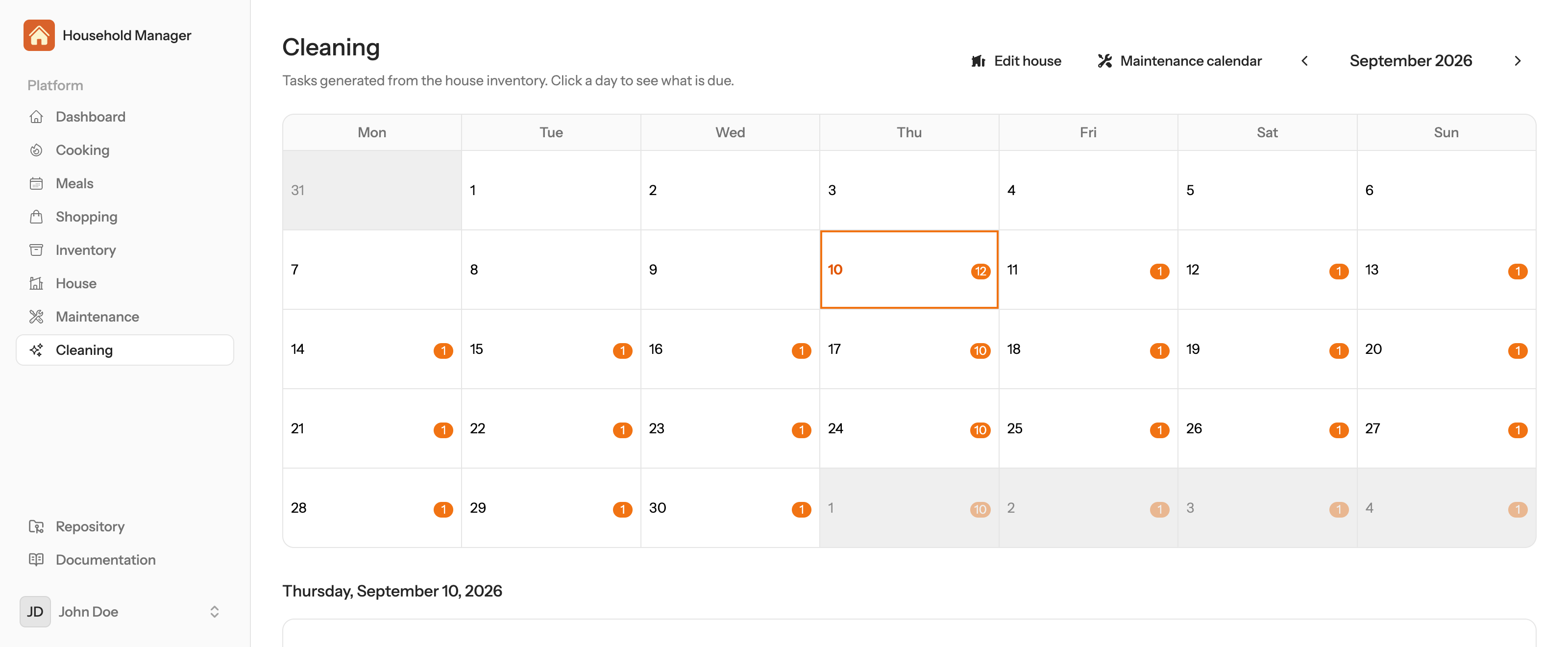
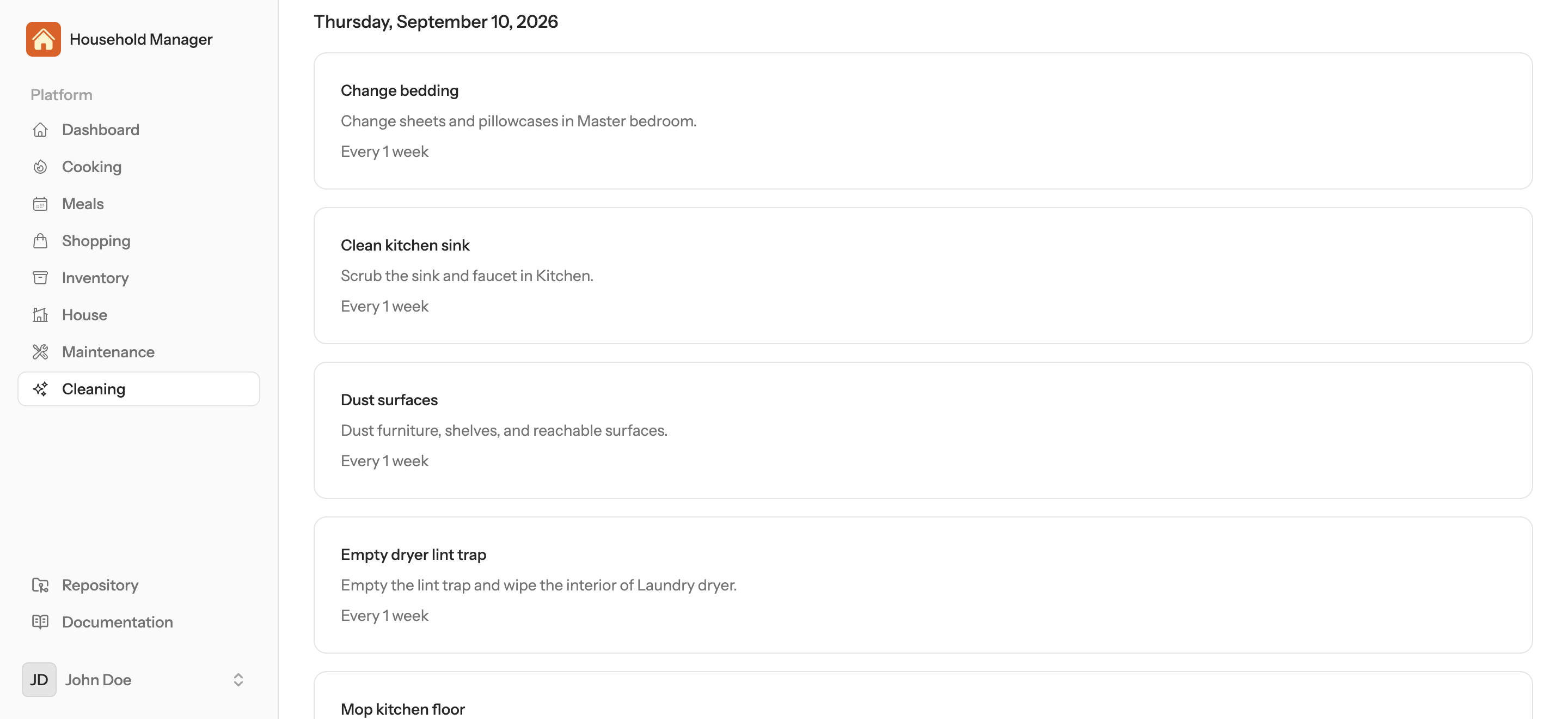
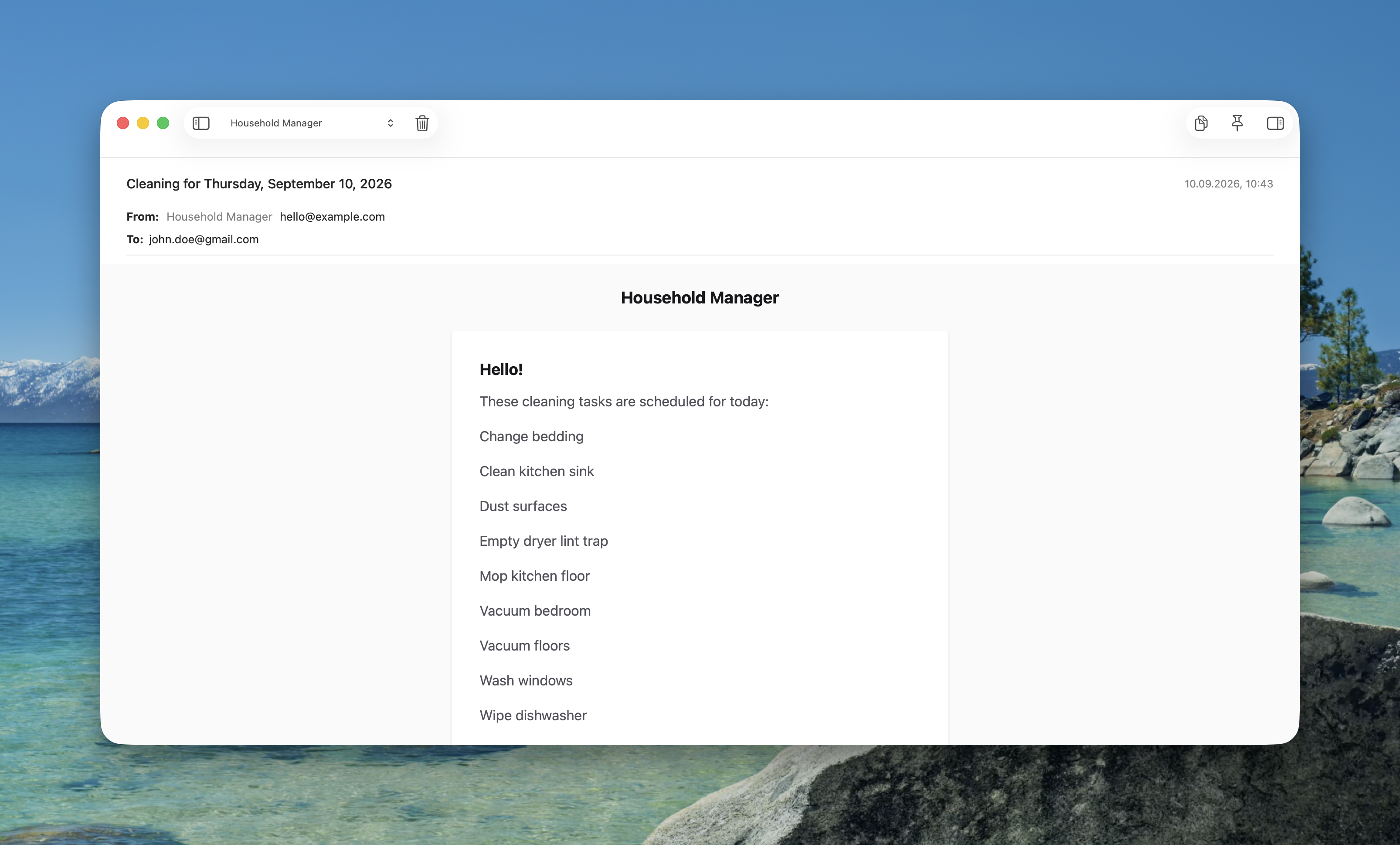
Cook, shop, maintain, clean. That is the original four.
How the pieces lock
The interesting part is not any one screen. It is the shared facts.
- Cooking settings own meal times, timezone, units, and diet.
- Serving a meal decrements stock.
- Shopping subtracts stock from the week’s ingredients and writes a list with remainders.
- Lead time counts back from Monday breakfast, not from “Sunday night.”
- The house inventory generates two schedules: maintenance and cleaning. Dryer vent is maintenance. Dryer lint trap is cleaning.
- One scheduler, every minute, local time. Mail at 08:00 if there is work. Catch-up if the process was down.
The agents produce structured output. The application records whether the work ran. I did not add a separate ledger for catch-up. The existing stamps were enough.
What I am testing in the Laravel AI SDK
The public series started as a clean Laravel skeleton with the SDK already wired. The goal was to exercise the SDK in a real app:
- Agents and tools
- Structured outputs
- Conversation memory
- Queues
- Notifications
- Testing, including evals and mutation testing
Cursor is the development environment. The application stays in Laravel and PHP. No separate agent runtime.
Where it stands
What I care about next is the same thing I cared about at the start. Does the agent still do the work when nobody is looking at the screen? If the answer is yes after a deploy at 07:59, the design is holding.
Built in public on Laravel, the Laravel AI SDK, Pest, and Cursor. Short updates go to X and LinkedIn. This is the long form.